Set up your company
Sign up, pick your industry and start posting in a few minutes.
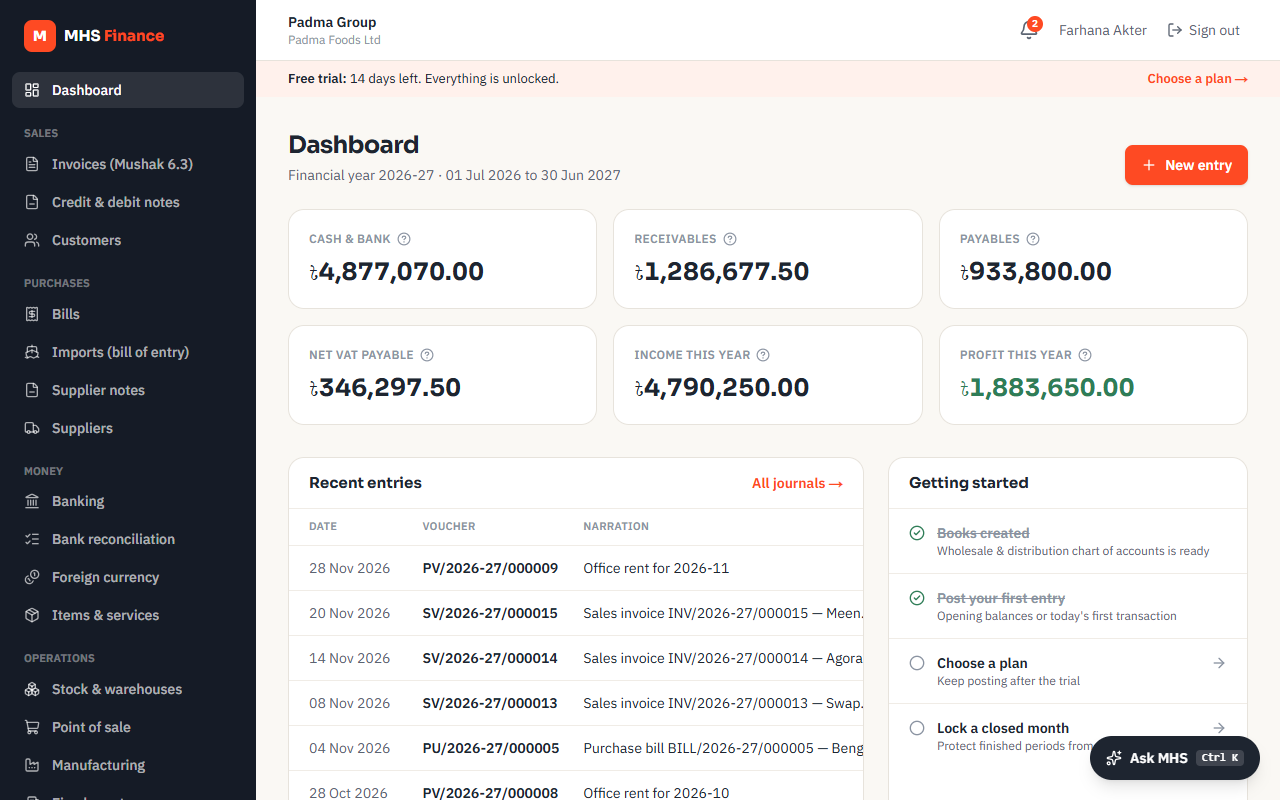
MHS Finance sets your books up from your type of business, so there is nothing to install and no chart of accounts to build by hand.
1. Sign up
Go to Start free trial, enter your name, email and a password. The trial runs for 14 days with everything switched on; no card is needed.
2. Tell us about the company
- Organisation: the group or business name.
- Industry: choose the closest one (retail, wholesale, RMG, pharmaceuticals, NGO…). It decides the starting chart of accounts and which modules are on.
- VAT registration: standard VAT, turnover tax, or not registered. It decides the VAT codes your invoices use.
- BIN and e-TIN: printed on your Mushak 6.3 and used in the returns. You can add them later under Settings.
3. Bring your opening balances
If you are moving from Tally or Excel, use Import opening balances to bring the closing trial balance of your old books across. See Moving from Tally or Excel.
4. Invite your team
Under Companies & team, add people by the email they signed up with and give each a role:
| Role | Can |
|---|---|
| Viewer | See everything, change nothing |
| Accountant | Post invoices, bills, payments and journals |
| Admin | Also manage settings, approval rules, periods and members |
| Owner | Everything, including billing and other owners |
5. Install it on your computer or phone
MHS Finance can be installed like an app, with its own icon and window:
- Chrome or Edge on a computer: the install icon at the right of the address bar, or menu → Install MHS Finance.
- Android: Chrome menu → Add to home screen / Install app.
- iPhone and iPad: Safari → Share → Add to Home Screen.
It is the same service as the website, so your figures are the same everywhere. It needs an internet connection; nothing financial is kept on the device.